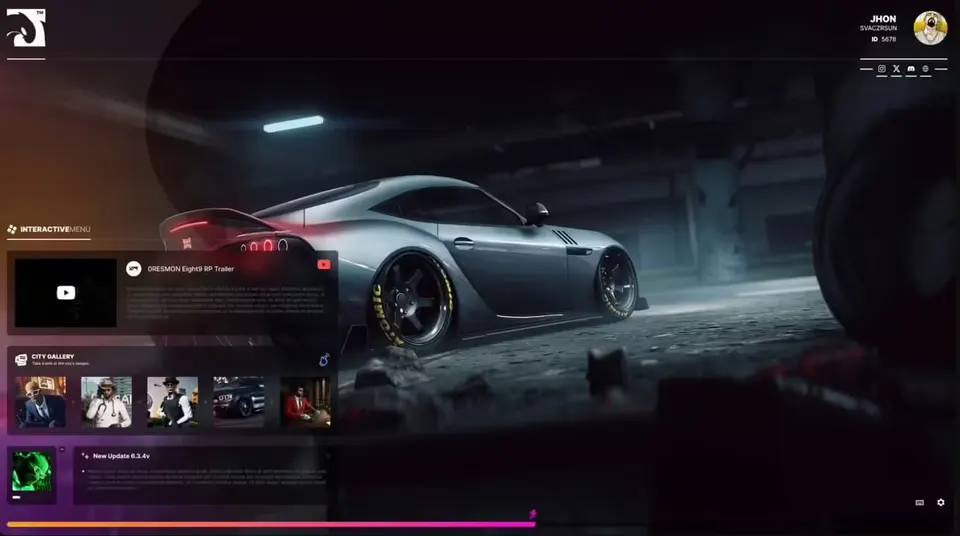
Jakrino Loading Screen
Jakrino
Description
Jakrino Loading Screen (version 1.1) is a loading screen for FiveM servers. It is easy to configure and has four sections: Playtime, Albums, Updates and Project Team.
Features
- Playtime section, with a small server script and a
database.jsonfile for the data - Albums: music player with play/pause, next/previous track and volume; three example tracks with cover images are included in
config/albums/ - Updates section for your server news
- Project Team section for your staff (example image in
config/team/) - Background slideshow (
config/slide/) and a trailer video (config/video/trailer.webm) - Texts in
config/translations.js, settings inconfig/config.js - Mouse cursor enabled on the loading screen
Installation
- Place the
Jakrino_Load_Screenfolder in your resources and addensure Jakrino_Load_Screento yourserver.cfg. - Edit
config/config.jsandconfig/translations.js, then replace the example music, backgrounds, video and team image with your own files.
No framework is needed. The HTML, JavaScript, config and server files are open to edit.
Details
- Frameworks
- File size
- 73.1 MB
- Creator
- Jakrino
- Updated
- Sep 27, 2026
Installation
- Unzip the download into your server's resources folder.
- Add these lines to server.cfg, in this order:
ensure Jakrino_Load_Screen
Checked: the one resource of this download.
From a static check of the files by the RPScripts Lab. It is not a test that your server starts.
Jakrino Loading Screen
$8.00€7.99£6.99A$11.99R$40.99CHF 6.99¥1,270Related resources


izzy Loading Screen v7
Izzy Scripts
- ESX
- QBCore

- ESX
- Standalone
- QBCore
- vRP
0R-LOADINGSCREEN V2
0Resmon