0R-LOADINGSCREEN V2
0Resmon
Description
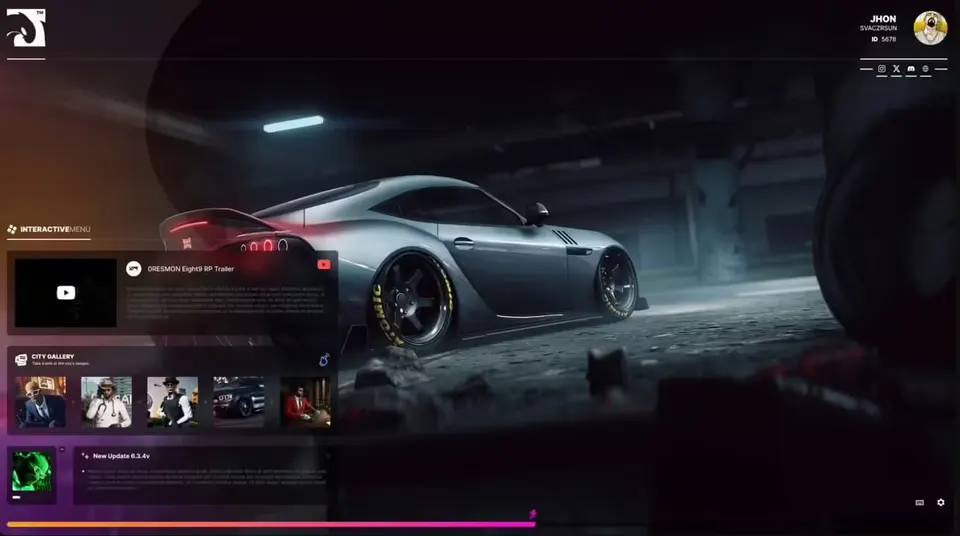
0R-LOADINGSCREEN V2 is a customizable loading screen for FiveM. While players connect, it shows your server rules, news, staff team and update notes, and it saves each player's settings and applies them automatically when they reconnect.
Features
- Rules section with a title and description per rule (
Config.Rules) - News entries with image and text (
Config.News) - Staff section with username, avatar and role (
Config.Staffs) - Recent update notes with title, image and changelog text (
Config.RecentUpdate) - Image gallery, hero images and wallpaper that you can replace in
UI/images - YouTube video background (only YouTube videos are supported, and some videos may not play because of copyright restrictions)
- Music player controls plus dark mode and colour mode options
- Icons for Discord, Instagram, YouTube, X and a website link
- Mouse cursor is enabled on the loading screen
- Player settings are saved and reapplied on reconnect
Requirements
Standalone: no framework or database resource is required.
Installation
- Copy the
0r-loadingscreenfolder into your resources folder. - Add
ensure 0r-loadingscreento your server.cfg. - Fill in rules, news, staff and update notes in
config.lua. - To change the background video, edit
UI/scripts/ui.js(around line 111).
Details
- Frameworks
- File size
- 13.2 MB
- Creator
- 0Resmon
- Updated
- Sep 27, 2026
Installation
- Unzip the download into your server's resources folder.
- Add these lines to server.cfg, in this order:
ensure 0r-loadingscreen
Checked: the one resource of this download.
From a static check of the files by the RPScripts Lab. It is not a test that your server starts.
0R-LOADINGSCREEN V2
$16.00€14.99£12.99A$23.99R$80.99CHF 13.99¥2,530Related resources


Jakrino Loading Screen
Jakrino
izzy Loading Screen v7
Izzy Scripts
- ESX
- QBCore
- ESX
- Standalone
- QBCore
- vRP